![Bot-Free AI Meeting Recorder: Why It Matters & Best Options [2026]](/images/blog/bot-free-meeting-recorder-1024w.webp)
Quick Answer
A bot-free AI meeting recorder captures and transcribes your meetings without sending a bot into the call as a visible participant.
Instead of a "[Tool] is recording this meeting" notification appearing in your participant list, you record locally or upload afterward, and the AI processes the audio behind the scenes.
KenzNote is the strongest bot-free option in 2026: $0.99 per meeting, no bot joins your call, no calendar access required, works with Zoom, Google Meet, and Microsoft Teams.
Key Takeaways
- 58% of professionals feel uncomfortable when a recording bot joins their meeting as a visible participant
- Bot-free means no bot joins your call and you record using your platform's native tools or a local recording app, then upload for AI processing
- Legal consent gets complicated with bots because participants may not realize a third-party tool is capturing audio on external servers
- Enterprise security policies often block bots causing sales teams to lose recordings of important prospect calls
- No calendar access required with bot-free tools so the service never sees your full schedule, attendees, or event titles
- KenzNote is the strongest bot-free option at $0.99 per meeting with no subscription, no bot, and no calendar connection
- Bot-free delivers the same AI output including transcripts, summaries, and action items without the meeting disruption
Table of Contents
- Why Bots Joining Meetings Is a Real Problem
- What "Bot-Free" Actually Means
- How Bot-Free Meeting Recorders Work
- Top Bot-Free AI Meeting Recorders in 2026
- Bot-Free Meeting Recorder Comparison Table
- Who Actually Needs a Bot-Free Meeting Recorder
- Verdict and Recommendation
- Frequently Asked Questions
- Related Resources
You searched "bot-free AI meeting recorder" because something about a recording bot sitting in your meeting feels wrong. Maybe a client asked you to remove it. Maybe your prospect's IT policy kicked it out mid-call. Maybe you just don't want every person in the room wondering who invited the robot.
You're not alone. In surveys of remote professionals, 58% report feeling uncomfortable when a bot joins a meeting they're participating in. The discomfort is real, and for many professionals, it's a dealbreaker.
This guide explains why bot-free recording matters, how it works, and which tools do it best in 2026.
Why Bots Joining Meetings Is a Real Problem
Most AI meeting tools work the same way. You connect your calendar, and when a meeting starts, a bot account joins as a participant. It sits there, labeled something like "Fireflies notetaker" or "Otter Assistant," recording everything. This approach works, but it creates problems that are easy to underestimate until they bite you.
Your Guests Notice, and They Mind
Research consistently shows that meeting bots create friction. In surveys of remote professionals, 58% report feeling uncomfortable when a bot joins a meeting they are participating in.
The discomfort is not irrational. An unfamiliar participant appearing in your meeting, one that you did not invite and cannot interact with, raises a natural question: who exactly is recording this, and where does the recording go?
For internal team meetings, your colleagues may accept it. For external meetings (client discovery calls, job interviews, vendor negotiations, partnership discussions), the bot is an uninvited third party.
Clients who see a notetaker bot may become guarded. Some will ask you to remove it before the meeting continues. Others will simply not say what they were going to say.
Legal Consent Requirements Are Complicated
Recording consent laws vary by state and country. In all-party consent states like California, Connecticut, Florida, Illinois, and Maryland, every participant must consent to being recorded before the recording begins. Most meeting platforms handle this with a disclaimer when the host hits record, or a notification in the platform interface.
When a bot joins your meeting, the consent situation gets murkier. The bot is a third-party application joining as a participant, not the platform's native recording function. Participants see a notification that the meeting is being recorded, but they may not understand that an external tool is capturing and storing the audio on a separate platform's servers. In regulated industries (healthcare, legal, finance), this ambiguity is not something compliance teams are willing to tolerate.
The practical risk: A client in California who did not explicitly consent to a third-party tool recording and storing the conversation may have legal grounds for complaint. A bot-free approach eliminates this ambiguity entirely.
Enterprise Security Policies Block Bots
Many enterprise organizations have security policies that block or restrict third-party bots from joining meetings. If you work with clients in banking, government contracting, healthcare, or defense, their IT teams may have rules preventing unknown applications from joining calls hosted on their Microsoft Teams or Zoom tenants.
This is not theoretical. Sales teams at SaaS companies regularly lose recordings of prospect calls because the prospect's company security settings kicked the notetaker bot out of the meeting. The call happened. The notes did not.
Your Own Calendar Becomes a Privacy Exposure
Almost all bot-based meeting recorders require calendar integration to know which meetings to join. This means the tool can see every event on your calendar, including events you do not want recorded, meetings with sensitive titles, and personal appointments you may have mixed into a work calendar.
Calendar data is valuable. It reveals who you meet with, how often, and on what topics. Before connecting any tool to your calendar, it is worth asking: do you actually want this company to have that visibility?
What "Bot-Free" Actually Means
A bot-free AI meeting recorder is any tool that generates AI-powered transcripts and meeting notes without joining the meeting as a participant. There are two main approaches:
Local recording + upload: You record the meeting yourself using your computer's audio (or a local recording app), then upload the audio or video file to the AI tool for processing. The AI analyzes the file and returns a transcript, summary, and action items. No bot was ever in your meeting.
Direct link processing: Some tools let you paste a meeting link and handle recording in a way that does not surface a visible bot to other participants, though this varies by implementation. The key outcome is the same: other participants do not see a recording bot in the participant list.
Both approaches deliver the same end result (AI-generated meeting notes) without the friction, consent complications, or security issues that come with bot-based recording.
How Bot-Free Meeting Recorders Work (Step by Step)
The workflow is straightforward:
-
Hold your meeting normally. No bot joins. No participant sees a recording notification triggered by an external tool. The meeting runs exactly as it would without any AI tool.
-
Record the audio. On most platforms, you record using the platform's built-in recording feature (which participants are notified about as expected), or use a local recording tool on your own device. You control the recording.
-
Upload the file or paste a link. After the meeting ends, you upload the audio or video file to the AI tool, or (depending on the tool) share a link to the recording.
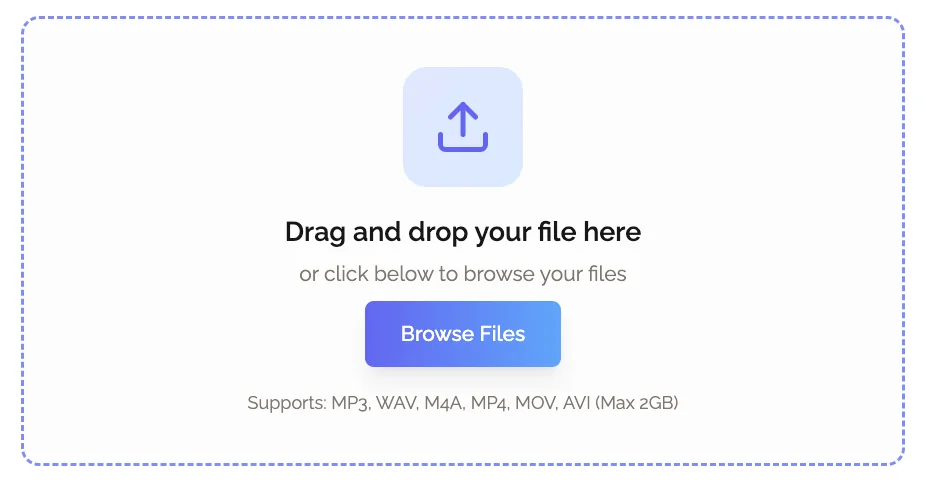 Upload your meeting recording to KenzNote for bot-free AI processing. No bot ever joins your call.
-
AI processes the content. The tool transcribes the audio, identifies speakers, generates a summary, and extracts action items. This typically takes a few minutes for a standard one-hour meeting.
-
You receive clean, structured notes. Transcript, summary, and action items are delivered, identical in quality to what a bot-based tool would produce, without any of the meeting disruption.
Top Bot-Free AI Meeting Recorders in 2026
1. KenzNote - Best Overall Bot-Free Option
KenzNote was built specifically around the bot-free model. The core premise: you upload your own recording (or use your platform's built-in record feature), and KenzNote handles everything from transcription to AI summarization. No bot. No calendar connection. No subscription.
How it works: Record your meeting using Zoom, Google Meet, or Teams' native recording, or use any local recording method. Upload the audio or video file to KenzNote. Receive a full transcript, AI summary, key decisions, and action items within minutes.
Pricing: $0.99 per meeting. No monthly fee. No minimum commitment. You pay only for meetings you actually record.
What you get per meeting:
- Full transcript with speaker identification
- AI-generated summary and key takeaways
- Action items extracted automatically
- No transcript expiration
- Export available anytime
Who it is right for: External client meetings, freelancers and consultants, anyone in a regulated industry, professionals who meet infrequently (under 15 meetings per month), and anyone who has been burned by a bot disrupting a sensitive meeting.
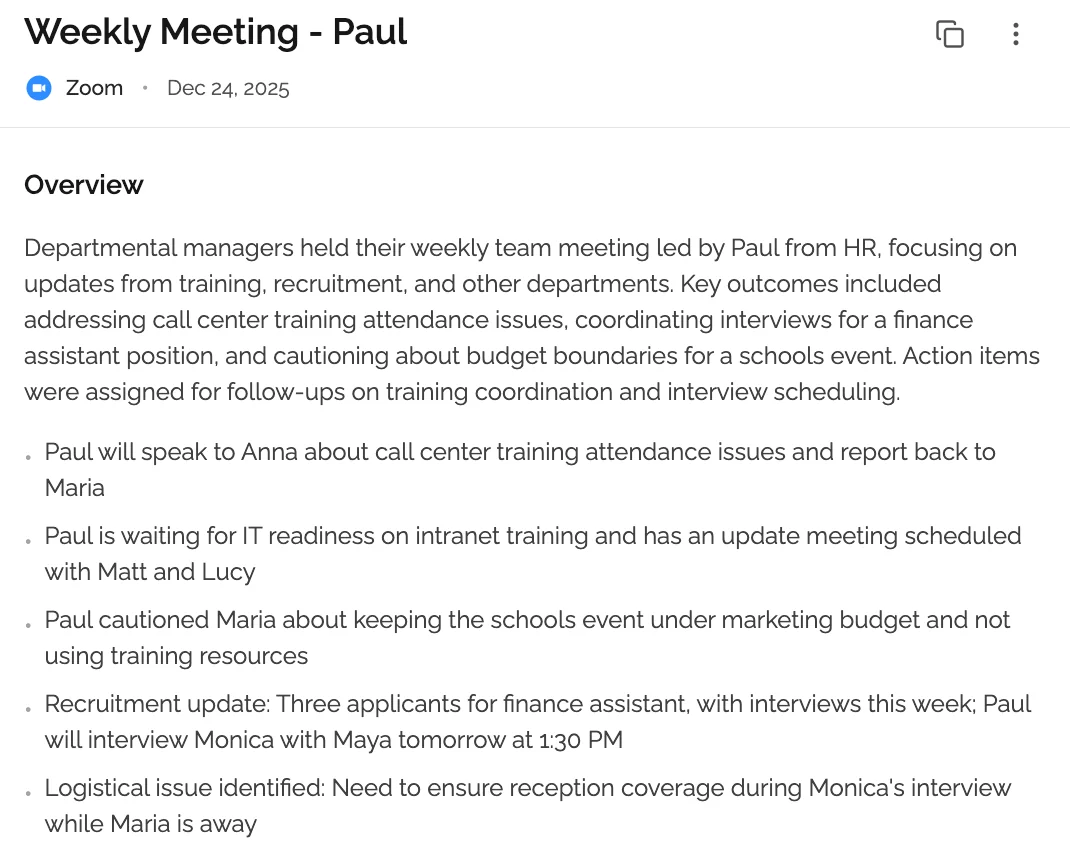 KenzNote delivers AI summaries, action items, and full transcripts from your uploaded recording.
Privacy stance: No calendar access required. You control exactly which recordings get processed. No subscription means no recurring data relationship with the service.
2. Notta - Solid Upload-Based Option with Strong Multilingual Support
Notta supports both live meeting transcription (via bot) and manual audio/video file uploads for bot-free processing. If you use the upload path, no bot ever joins your call.
How it works for bot-free use: Record your meeting locally, then upload the audio or video file through Notta's interface. Notta transcribes in 104 languages, the strongest multilingual offering in this category.
Pricing: Free plan (120 minutes/month, 3-minute file upload cap). Paid plans from $13.99/month.
Limitations: The free plan's 3-minute upload cap makes it impractical for full meetings. To upload a standard one-hour meeting, you need a paid plan. Speaker identification and AI summaries are also limited on free.
Best for: Teams who need multilingual transcription, or who want a tool with both bot and bot-free modes in one subscription.
3. Whisper-Based Local Tools (Open Source)
OpenAI's Whisper is an open-source speech recognition model that runs entirely on your own hardware. No data ever leaves your machine. Several tools and applications have been built on top of Whisper for local meeting transcription.
How it works: You record your meeting locally, then run the audio through a Whisper-based app. The transcription happens on your device. No cloud upload. No third party ever sees your audio.
Pricing: Free (open-source). Some GUI applications built on Whisper charge a small one-time fee.
Limitations: Requires technical comfort with command-line tools or finding a good Whisper wrapper app. No AI summaries out of the box (transcription only). Processing time depends on your hardware. Speaker identification requires additional configuration.
Best for: Security-conscious users, legal and healthcare professionals who cannot allow any cloud processing, developers who want a fully self-hosted solution.
4. Descript - Upload-Based with AI Editing Features
Descript is primarily a video and podcast editing tool, but its audio/video upload and transcription workflow makes it usable as a bot-free meeting recorder. You record your meeting, upload to Descript, and get a transcript you can edit like a document.
How it works for bot-free use: Record locally, upload the file, and use Descript's overdub and text-based editing features on the transcript.
Pricing: Free plan (1 hour of transcription). Paid plans from $12/month.
Limitations: Descript is designed for content production, not meeting notes. The meeting-specific features (AI summaries, action items, structured notes) are not native. You would need to prompt AI features manually. Better suited for people who want fine-grained transcript editing than quick meeting notes.
Best for: Podcasters or content creators who also hold recorded conversations. Not optimal as a primary meeting notes tool.
5. tl;dv - Primarily Bot-Based, with Upload Option on Higher Plans
tl;dv is mostly a bot-based tool, but higher-tier paid plans include a file upload option that allows bot-free processing. Worth mentioning because it is a popular tool, but the bot-free capability is not core to its design.
Pricing: Free plan (bot-based). Bot-free upload available on paid plans ($18/month and up).
Limitations: If bot-free is your primary requirement, paying $18/month for a tool that does it as an add-on rather than a core feature is hard to justify compared to KenzNote at $0.99/meeting.
Bot-Free Meeting Recorder Comparison Table
| Tool | Bot-Free Method | Platforms | Pricing | AI Summary | Speaker ID | Calendar Required |
|---|---|---|---|---|---|---|
| KenzNote | Upload recording | Zoom, Meet, Teams | $0.99/meeting | Yes | Yes | No |
| Notta | Upload recording | Zoom, Meet, Teams | From $13.99/mo | Yes | Yes | No (upload mode) |
| Whisper (local) | Local processing | Any | Free | No (transcript only) | Requires config | No |
| Descript | Upload recording | Any | From $12/mo | Limited | Yes | No |
| tl;dv | Upload (paid only) | Zoom, Meet | From $18/mo | Yes | Yes | No (upload mode) |
Who Actually Needs a Bot-Free Meeting Recorder
Bot-free recording is not just a preference. For certain professionals and situations, it is a hard requirement.
External client meetings. If you meet with clients, prospects, or partners who did not agree to be recorded by a third-party application, a bot-free approach is the respectful and legally safer option. Record using your platform's native tool (with standard consent notifications), then process through a bot-free AI tool.
Legal, healthcare, and financial professionals. These industries operate under strict data handling regulations (HIPAA, attorney-client privilege, FINRA). Sending meeting audio to a third-party cloud service through a bot, without explicit client consent and data processing agreements, can create compliance violations. Many professionals in these fields simply cannot use bot-based tools.
Sales teams selling into enterprise. Enterprise IT policies often block or restrict unknown applications from joining meetings on their platforms. If you sell into enterprise accounts, your notetaker bot may get kicked out of prospect calls. A bot-free workflow eliminates this failure mode entirely.
Freelancers and consultants. Client relationships are built on trust. Sending a bot into a client call without proactively addressing it is an easy way to create unnecessary friction. A bot-free tool lets you record meetings discreetly and professionally.
Anyone doing sensitive internal work. HR conversations, executive planning sessions, salary discussions, performance reviews. These are meetings where a bot-free approach gives everyone more psychological safety to speak candidly.
Occasional meeting recorders. If you only need meeting notes for 2-5 meetings per month, paying $15-18/month for a bot-based subscription is hard to justify. At $0.99/meeting, KenzNote is built for exactly this usage pattern.
Verdict and Recommendation
Best overall bot-free option: KenzNote. Purpose-built for bot-free recording, $0.99 per meeting, no subscription, no calendar access. If bot-free is your primary requirement, this is the most straightforward choice.
Best for multilingual teams: Notta. 104 languages with solid transcription quality. The upload path keeps it bot-free, though you'll need a paid plan to upload full-length meetings.
Best for maximum privacy: Whisper-based local tools. Nothing leaves your machine. No cloud, no third party, no account. You trade convenience for complete control.
Skip if: You want fully automated, hands-off recording with zero manual steps. Bot-free tools require you to record and upload. If that's a dealbreaker, a bot-based tool like Otter.ai or Fireflies is the better fit, just know the trade-offs.
The honest recommendation: if you care about bot-free recording because of client perception, legal compliance, or enterprise security, start with KenzNote. It's the only tool in this category where bot-free is the core product, not an afterthought.
Frequently Asked Questions
What is a bot-free AI meeting recorder?
A bot-free AI meeting recorder is a tool that generates AI-powered transcripts and meeting notes without joining your meeting as a visible participant. Instead of a recording bot appearing in your participant list, you record the meeting yourself (using built-in platform tools or a local recording app) and then upload the audio or video file for AI processing. The result (transcript, summary, action items) is identical to what a bot-based tool produces, without any of the meeting disruption.
Is KenzNote really bot-free?
Yes. KenzNote does not join your meetings at all. You record the meeting using Zoom's native recording, Google Meet's recording feature, Microsoft Teams recording, or any local recording method. You then upload that file to KenzNote, and the AI processes it. No bot enters your call, no participant sees a recording notification from KenzNote, and no calendar connection is required.
Do I need to tell participants I am recording if I use a bot-free tool?
Yes, recording consent laws still apply regardless of which tool you use. If you record a meeting using your platform's built-in recording feature (Zoom, Meet, Teams), the platform will typically notify participants. You are still responsible for complying with the recording consent laws that apply in your jurisdiction and the jurisdictions of your participants. A bot-free tool does not change your legal obligation to inform participants that a recording is happening. It just means the recording is done through your platform, not a third-party bot.
Why do most AI meeting tools use bots instead of going bot-free?
Bot-based tools are easier to build and more convenient for users who want fully automated recording. The bot joins automatically based on calendar events, with no manual steps required. The trade-off is visibility in the meeting, calendar access requirements, and the friction that creates with guests. Bot-free tools require users to take an active step (recording and uploading), but offer more control and less disruption.
Can I use KenzNote if my company blocks third-party meeting bots?
Yes. Because KenzNote does not join meetings as a bot, corporate IT policies that block third-party meeting participants have no effect on KenzNote's functionality. You record the meeting through your platform's native tools (which your IT team has already approved), then upload the file to KenzNote for processing. The two steps are completely independent.
Is bot-free recording more private than bot-based recording?
Generally, yes, for two reasons. First, you decide which specific meetings to record and upload, rather than having a tool automatically record every meeting on your calendar. Second, bot-free tools typically do not require calendar access, which means the service never sees your full schedule of meetings, attendees, and event titles. KenzNote is an example: no calendar connection means the only data KenzNote receives is the audio you explicitly choose to upload.
What happens to my audio after I upload it to KenzNote?
KenzNote uses your uploaded audio to generate the transcript and AI summary, then stores the processed output (transcript and notes) for your account. Review KenzNote's privacy policy for full details on data retention, storage location, and whether audio files are retained after processing.
How does bot-free recording work for Zoom, Google Meet, and Teams specifically?
Each platform has a built-in recording feature. In Zoom, the host can record locally to their computer or to the cloud. Local recording creates an MP4 file that you can upload directly to KenzNote. Google Meet allows recording to Google Drive (host or co-host with recording permissions). Microsoft Teams records to SharePoint or OneDrive. In all cases, you download the recording file and upload it to KenzNote. The process takes under a minute and requires no special configuration.
Related Resources
- Best Free AI Meeting Notetaker 2026
- Best AI Meeting Note Taker Apps 2026
- Best AI Transcription Services 2026
- tl;dv Review 2026: Features, Pricing & Alternatives
- Is It Legal to Record Meetings? State-by-State Guide
- Automatic Meeting Notes: Complete Guide
Ready to Record Meetings Without a Bot?
Stop worrying about bots disrupting your calls or clients asking "who invited the robot."
Start with KenzNote:
- No bot joins your meeting
- $0.99 per meeting (or $29.99/month unlimited)
- No calendar access required
- Full transcripts, AI summaries, and action items
- Works with Zoom, Google Meet, and Microsoft Teams
Questions? Email [email protected]
References & Citations
- [1]Gartner HR Survey Finds 65% of Employees are Excited to use AI at WorkGartner. December 16, 2025https://www.gartner.com/en/newsroom/press-releases/2025-12-16-gartner-hr-survey-finds-65-percent-of-employees-are-excited-to-use-ai-at-work
All external sources have been reviewed for accuracy and relevance. Last verified: October 2026.

About Muhammad Abuelenin
Muhammad is the co-founder of KenzNote, passionate about building tools that enhance productivity and collaboration. With expertise in full-stack development and AI-powered solutions, he's dedicated to helping teams work smarter through innovative technology.
Ready to transform your meetings?
KenzNote automatically captures meeting insights, extracts action items, and generates summaries so you can focus on the conversation instead of taking notes.
Try KenzNote Free